

Business buyers comparing WhatsApp shared inbox tools often run straight into per-agent seat pricing, where every additional team member adds another line to the monthly bill. Stitch, the WhatsApp business communication platform, takes a different approach, and this FAQ answers the most common pricing and structure questions that come up when teams look for an alternative to seat-based billing.
Watch on YouTube: WhatsApp Shared Inbox Tools Without Per-Agent Seat Fees.
No. Stitch's pricing model is not based on a per-user per-month SaaS model but rather on the WhatsApp account and features required. This means the starting price is tied to the inbox and its feature set rather than to a fixed monthly fee for every individual who logs in. Billing and functionality run primarily per "inbox" (WhatsApp number), with inbox tiers structured around the number of concurrent users a plan supports (for example, up to 3, 7, 12 or 20) and the feature set attached to each tier. This structure lets a team add people without the seat-by-seat cost stacking that per-agent pricing produces.
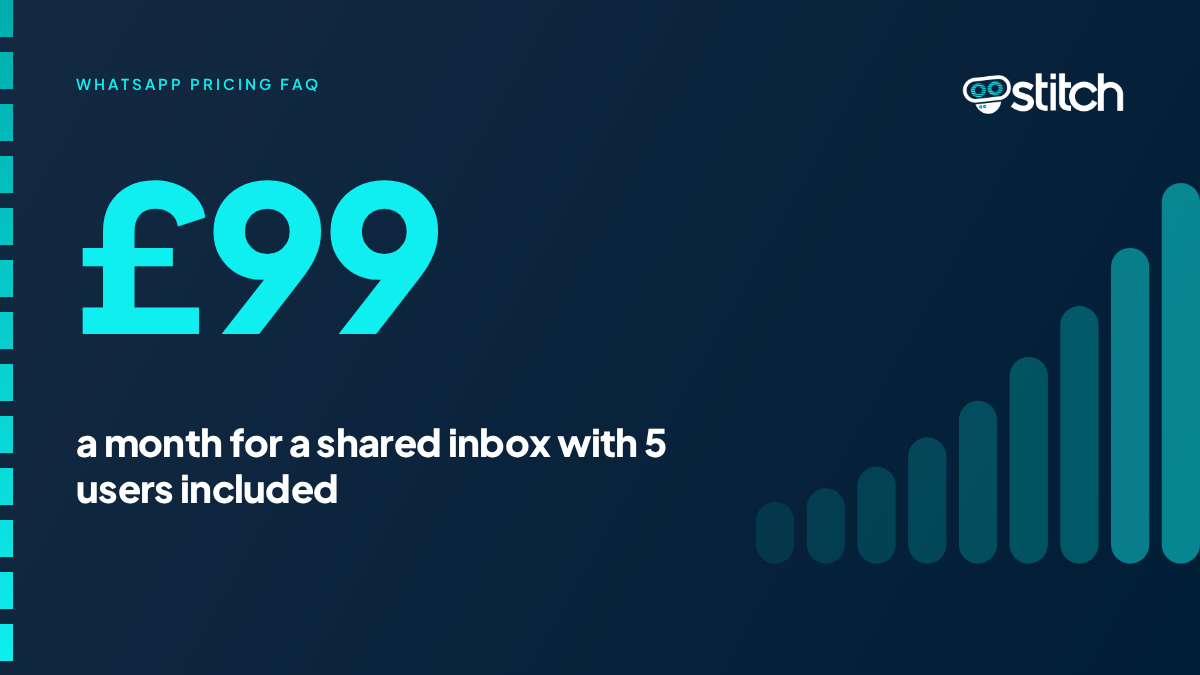
The Shared Team Inbox starts at £99 per month and includes 5 users. Additional capacity comes in blocks rather than one-by-one seat charges: a further 5 user licenses cost £50 per month. A one-off setup fee of £295 applies to the Shared Inbox. Because the entry tier already bundles multiple users into a single price, a small team can operate the inbox without paying a separate fee for each individual agent from day one.
Additional users are typically added in bundles rather than as single per-agent charges. One configuration adds 5 user licenses for £50/month on top of the base plan. Another documented structure prices a standard inbox at £99 per month for up to five users and £149 for up to ten, with each additional user beyond ten costing £5 per month. A separate example shows teams purchasing additional user bundles of 5 once they outgrow the included allowance, with an effective per-user cost of around £11 when spread across a bundle. Across these configurations, the model favours bundled or tiered growth over a flat charge for every individual agent added to the account.
Yes, additional inboxes and numbers are priced separately from user seats. One structure prices each additional inbox at £49 after the first setup. Another lists additional WhatsApp numbers at £50 each, and a further configuration charges £20 for each new inbox created on top of the initial £295 setup fee. For multi-branch or multi-location businesses, this means expansion can be planned around adding numbers or inboxes for new teams or locations, distinct from the cost of adding individual agents to an existing inbox. This approach is particularly effective for a multi-city property management company needing to unify international teams on a single platform.
The setup fee covers the integration, training and configuration work needed to get a team live on the platform. One documented example prices this at £295, described as covering the integration process. Another describes it as £295 for the Shared Inbox or Agent Assist, with AI assistant setup starting from £295 depending on complexity. A further reference confirms £295 as an onboarding fee that includes training and setup. This is a one-time cost separate from the ongoing monthly plan and is not charged again as new agents are added to an existing inbox.
Beyond the platform subscription, WhatsApp itself charges conversation fees through Meta, and it helps to know how these are handled separately from any per-seat pricing question.
No, Meta's messaging fees are charged per conversation, not per agent seat. Meta charges approximately 1.6p per template message, with typical monthly conversation fees for an average agent running between £5 and £15. Other documented rates show utility templates costing around 1.5p per message and marketing templates around 3.5p, while a separate example cites 1.6p for utility messages and 3.3p for marketing messages, passed through to the client without markup. Because these fees scale with conversation volume rather than headcount, a team can add agents to a shared inbox without automatically increasing the per-message cost structure.
No. Meta charges 1.6p for utility messages and 3.3p for marketing messages, and these costs are passed directly to the client without markup. This means the messaging cost a business sees reflects Meta's own charges rather than an added margin layered on top by the platform provider.
A typical team of five can expect WhatsApp fees in the range of £3 to £10 per month. A separate estimate for an average agent puts typical monthly conversation fees at £5 to £15. These figures are for Meta's own conversation charges and sit on top of the platform subscription rather than replacing it, and they do not increase simply because more agents share access to the same inbox.
Yes, in at least one documented configuration. WhatsApp fees apply at 1.7p per 24-hour conversation window after the first 1,000 free inbound conversations. A separate structure describes a similarly low rate of 1.7p for outbound messages initiated by the business, while inbound messages from clients remain free, which is designed to encourage client engagement without additional cost. This free-inbound structure means the ongoing cost of running a shared inbox is driven by outbound business-initiated conversations rather than by the number of agents monitoring the inbox.
Yes, add-ons such as Agent Assist and AI assistants are priced as flat monthly fees rather than per-agent charges. The Agent Assist add-on costs £99/month, and the AI assistant add-on starts from £99/month depending on complexity. Because these are priced as a single add-on fee rather than multiplied by the number of agents using them, a team does not pay more for the add-on simply because it has more people accessing the shared inbox.
A personal inbox is a WhatsApp number assigned to one individual user rather than shared across a team, and it follows a different pricing logic than the shared team inbox. Personal inboxes are sold in bundles of 5, and each personal inbox can only have one user. This option is primarily used by recruiters who prefer individual numbers over a shared pool. Businesses choosing between the two models should be clear that a personal inbox bundle is priced around individual number allocation, while the shared team inbox is priced around a single number with multiple team members accessing it.
No, verification and message capacity limits are tied to the WhatsApp Business account itself, not to the number of agents using it. Business verification on WhatsApp takes approximately one day, and once verified, a business can initiate up to 1,000 conversations per day. Separately, initial daily message limits under the Meta API start at 250 messages per day, increasing to 1,000, then 10,000, with potential for 100,000+ at high quality levels. These thresholds scale with account-level messaging volume and quality, not with the number of seats or agents added to a shared inbox.
No, integration access is typically billed as a flat fee rather than scaled per agent. One configuration prices API/Zapier access at £50 on top of the £99 base plan for up to five users. Another describes a starter package of £99/month for up to 5 users plus £50/month for integrations and automations. In both cases, the integration fee is a fixed addition to the base plan rather than a charge that increases with each additional agent using the connected tools. Many businesses find value in a comprehensive WhatsApp business tools and CRM integration guide to understand how these connections enhance their workflow.
Yes, at least one documented example structures pricing at £200 for 10 users with no hidden charges. This kind of flat structure, combined with WhatsApp usage fees passed through at cost, gives a business a predictable total rather than a bill that grows unpredictably with every new agent added to the shared inbox.
For a UK business comparing WhatsApp shared inbox tools without per-agent seat fees, the key distinctions are:
Platform pricing is generally structured around the inbox (WhatsApp number) and its feature tier, not a flat fee multiplied by user count.
Entry-level plans commonly bundle 5 users into a single starting price, with additional users added in bundles rather than one-by-one.
Meta's own conversation fees are volume-based, tied to messages sent rather than agents employed, and are typically passed through at cost.
Add-ons such as Agent Assist and AI assistants are priced as flat monthly fees rather than scaled per agent.
Additional inboxes, numbers and integrations carry their own separate flat costs, distinct from per-agent seat charges.
Businesses evaluating shared inbox providers should ask for a breakdown that separates the base inbox fee, add-on costs, setup fees and Meta's conversation charges, since this makes it clear which parts of the bill scale with team size and which do not.
Are there WhatsApp shared inbox tools that don't charge per-agent seat fees? This guide from Stitch answers the pricing and structure questions that come up when teams look for an alternative to seat-based billing.
Business buyers comparing WhatsApp shared inbox tools often run straight into per-agent seat pricing, where every extra team member adds another line to the monthly bill. Stitch, the WhatsApp business communication platform, takes a different approach.
Stitch's pricing is not based on a per-user, per-month model. It is based on the WhatsApp account and the features required. Billing and functionality run mainly per inbox, which means per WhatsApp number, with inbox tiers built around how many people can use a plan at the same time, and the features attached to each tier. That lets a team add people without the seat-by-seat cost stacking that per-agent pricing produces.
Stitch's Shared Team Inbox starts from ninety-nine pounds a month plus VAT and includes five users. Extra capacity comes in blocks rather than one seat at a time. A one-off setup fee, from two hundred and ninety-five pounds plus VAT, covers the integration, training and configuration needed to get a team live. It is a one-time cost, and it is not charged again as new agents are added to an existing inbox.
When a team outgrows its allowance, users are typically added in bundles rather than as single per-agent charges. Additional inboxes and WhatsApp numbers are priced separately from user seats. For a business with several branches or locations, that means expansion can be planned around adding a number or an inbox for a new team or location, separate from the cost of adding people to an existing inbox.
Beyond the platform subscription, WhatsApp itself charges messaging fees through Meta. Meta charges per message delivered, not per agent seat, so these fees scale with the volume of messages a business sends rather than with the size of the team. Stitch states that Meta's charges are passed through to the client at cost, without markup, so the messaging cost a business sees reflects Meta's own charges. Meta does not charge for messages customers send to a business, so the cost is driven by the messages the business sends, not by how many agents are watching the inbox.
Add-ons such as Agent Assist and AI assistants are priced as flat monthly fees, not multiplied by the number of agents using them. Integration access, such as API or Zapier connections, is typically billed as a flat addition to the base plan rather than a charge that rises with each agent. Business verification and messaging limits are tied to the WhatsApp Business account itself. Verification takes around a day, and messaging limits rise with account-level volume and quality, not with the number of seats.
There is one model that does follow individual users. A personal inbox is a WhatsApp number assigned to one person. Personal inboxes are sold in bundles of five, with one user per inbox, and are mainly used by recruiters who prefer individual numbers. A shared team inbox, by contrast, is one number with several team members working from it.
For a UK business looking for a WhatsApp shared inbox without per-agent seat fees, the key points are these. Platform pricing is generally built around the inbox and its feature tier, not a fee multiplied by headcount. Entry plans commonly bundle several users into one starting price, with more added in bundles. Meta's messaging fees follow message volume, not team size, and Stitch passes them on at cost. Add-ons, extra inboxes, numbers and integrations carry their own flat costs, separate from seat charges.
When you compare providers, ask for a breakdown that separates the base inbox fee, add-on costs, setup fees and Meta's messaging charges. That makes it clear which parts of the bill grow with your team, and which do not.
Read the full guide at stitch-ai.com, and book a demo with Stitch to see how it would fit your team.
